For businesses, a tested backup is essential
Backups should be separated, protected from unauthorised changes and tested so the business knows its data can be restored.

Start with clear, practical steps to protect your account, email, device or business. Then use Been Hacked Fix to find the right recovery route and support near you.
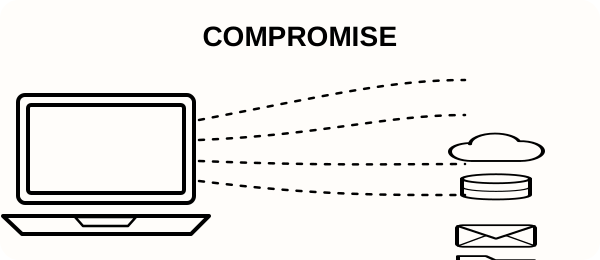

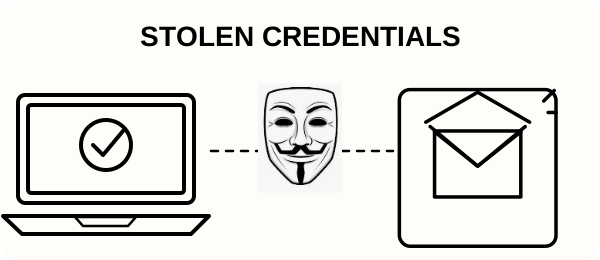
A compromised account or device does not always look obviously hacked. MFA, antivirus and strong passwords all reduce risk, but no single security measure removes every route an attacker may use.
When a password is leaked, reused or guessed, attackers may try it against email, cloud services and other accounts.
MFA matters, but a stolen authenticated session may be reused without a fresh prompt. Review active sessions and sign-in activity too.
Protection blocks known malicious activity, but new threats may not be identified straight away. Patching and account protection still matter.
Unexpected sign-in requests, payment changes and urgent messages deserve caution, even when familiar branding or names are used.
A business mailbox can be used to monitor customers, suppliers, invoices and payment conversations before bank details are changed.
Backups should be separated, protected from unauthorised changes and tested so the business knows its data can be restored.
The cause and impact can differ from one incident to another. Start with calm, controlled recovery steps that protect accounts, preserve useful information and reduce the chance of further damage.
A clear recovery flow for home users and small businesses.
Disconnect affected devices from the internet and note unusual activity before making changes.
Use a clean device to protect important accounts, then check affected devices for malware.
Remove infections, restore safe access and strengthen security against a repeat attack.
If you've been hacked, start with our step-by-step recovery checklist. It explains what to secure first, how to protect your email and accounts, what evidence to keep, and what to do next.
Recovery ChecklistScams can look real. Slow down if something asks you to click, share a code, install an app or change payment details.
A link in an email or text may open a copy of a trusted website and ask for your password.
Do not approve a sign-in or share a security code if you did not start it yourself.
A pop-up, call or text may say your device has a virus and ask you to call or install remote access.
A criminal may pretend to be a supplier and ask you to send money to a new bank account.
If one password is leaked, it may be tried on your email, shopping and social accounts.
Be wary of anyone who contacts you first and promises to recover an account for a fee.
A message may offer a tax refund, especially near the new tax year, and ask you to click a link or enter details.
A message may say a parcel is waiting and ask for a small payment or your card details.
An email may say your account will close today unless you click a link. Go to the website yourself instead.
If any of this sounds familiar, use a trusted device and start the recovery checklist.
If money, identity, personal data or an important account may be involved, use the official reporting and cyber-security service for your country alongside the practical recovery steps on this site. If money may be at risk, contact your bank using a trusted number first.
Only use the provider’s own recovery page. Never give a code, password or payment to someone who contacts you first.
Disconnect the device from the internet, avoid signing in to important accounts, and run a full scan with a trusted tool. The Been Hacked Fix toolkit provides a guided recovery process.
The toolkit is designed to scan for common and hidden threats. Professional and Ultimate support include priority remediation if you need more help.
Yes. Professional and Ultimate support include monitoring, hardening and ongoing support designed for small teams and SMEs.
No. The recovery steps are explained in plain language, and the support options are designed to reduce the technical work for you.
Been Hacked Fix is provided by IT Life-Raft, based in Whitchurch, United Kingdom.
Been Hacked Fix provides clear first steps for people and businesses dealing with hacked accounts, compromised email, websites, devices and online fraud.
The service is operated by IT Life-Raft, a UK-based IT support and cyber recovery business. We provide practical guidance and connect people with appropriate local or specialist support where available.
Learn more about IT Life-Raft · Find recovery support by location · Read the recovery checklist
Recover now and secure your devices for the future.